The floor plan of your place
Dining room, terrace and bar drawn as they are. At a glance: who is busy, what each table owes and how long they have been sitting there.
The waiter takes the order at the table and the kitchen has it on screen before they are back at the bar.
The POS opens straight away, with no username and no password.
How a sale is made
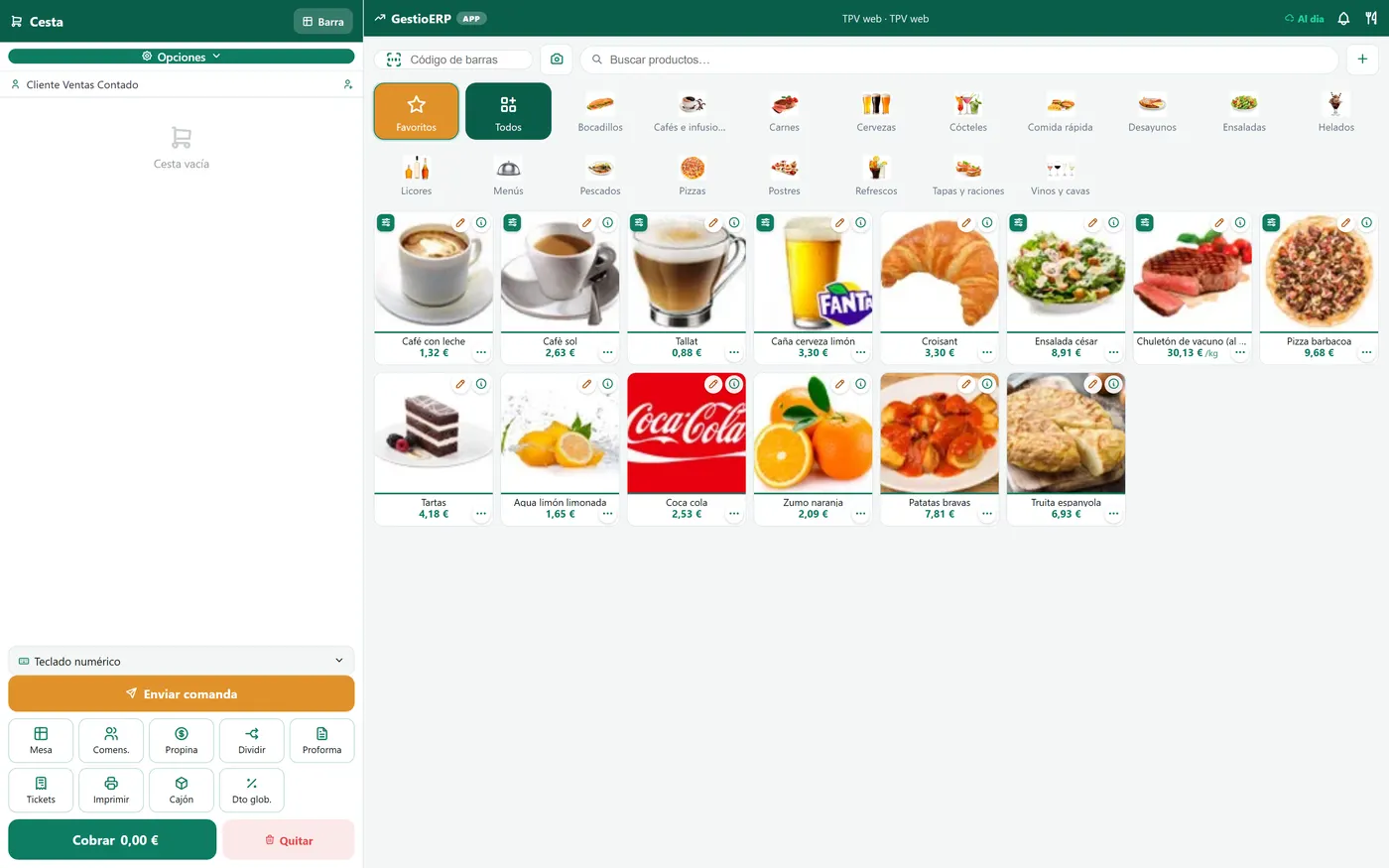
You tap, you take the payment and the receipt comes out. This is the real screen from the demo.
In service
The bill fills up on the left and, on the right, you see what happens in this trade and in no other.
Table 7 · kitchen
The order comes in from table 7The kitchen gets it split by stationThe dish turns to ready and the waiter sees itYou take the payment and the receipt comes out
A full service doesn't forgive: tables pushed together, bills split, the one on table five treating everybody and the one on seven paying by card while their friend pays cash. Tapik is built on that, not on a list of products.
The floor plan is yours: the dining room, the terrace and the bar drawn as they really are, and every table shows at a glance whether it is taken, what it owes and how long they have been sitting there. The order is entered on the phone, right beside the customer, and it is in the kitchen before the waiter gets back to the bar.
And in the kitchen, each station sees what is theirs: the grill its own, the desserts their own. Orders are sorted by the time they came in and whatever has gone out is crossed off, so nobody sends the same dish twice.
Takeaway food is not a second-class sale: it is marked as such from the very first moment, it doesn't take up a table and it reaches the kitchen with the name of whoever is coming to collect it. The customer can order it from the QR menu or from the kiosk in the shop, and it all lands in the same tray. Whatever comes in on the Glovo, Uber Eats or Just Eat tablet is entered into the POS with its own payment method, and at cash-up each platform stays apart: it is the only way to reconcile their settlement at the end of the month.
Made for this trade
Dining room, terrace and bar drawn as they are. At a glance: who is busy, what each table owes and how long they have been sitting there.
By people or by product, and each one with their own method. You can also merge two tables that have become one.
The fryer sees its own, the grill its own. Sorted by time, and whatever has gone out, crossed off.
The customer looks at it on their phone. Change a price on the POS and the menu already has it.
It doesn't take up a table: it carries the name of whoever is collecting it and reaches the kitchen just the same. Orders for another day —Saturday's cake— take a deposit and come up in the bakehouse on the day.
Each platform with its own payment method, kept apart at cash-up, and its own price list for delivery so the commission doesn't eat the margin.
From the table to the till
The customer orders from the table, the kitchen gets it split by station, each dish changes state and, if one runs late, the screen says so. At the end you take the payment and the receipt comes out.
They see the menu on their phone, with the photos and the allergens, and order right there. Or the waiter takes it down on the handheld: either way, it comes in through the same door.
Each station gets only its own: the grill the meat, the fryer the chips, the bar the drinks. It prints on that station's printer or shows up on the screen, whichever you prefer.
Every dish has had its clock running since it came in. When one goes over the time you set, its card turns red: nobody has to walk over and ask how table seven is doing.
Card on the terminal, contactless with the phone, or cash in the drawer that counts the change out. And if there are four of them paying separately, the bill is split and each one pays their own.
The dishes change state on their own while you watch: this is what the kitchen sees during a service.
Hygiene and cash control
It works with the drawers that take the money and give the change back —the Cashlogy ones by Azkoyen and other makes—. The POS tells it the amount, the customer drops in the notes and the coins, and the machine counts the change out. Nobody touches the cash.
Notes and coins go from hand to hand all day long, and since covid no customer wants to see the same hand that took their money handing them the bread. With the drawer, the customer puts the money into the machine and the machine gives the change back: the assistant never touches the cash, doesn't take the gloves off or wash their hands every five minutes, and goes back to the food clean.
It is a real demo business, with its own catalogue and its own sales. No sign-up needed.